Bounded by design
Regex search accepts up to 200 characters with one repetition, the index stops at 100,000 elements, and rule inspection scans at most 6,000 rules for up to 200 matches, so a heavy page stays responsive.

Your page. Its classes. Every detail.
A CSS workbench by CodeHorizon for frontend debugging and design system reviews. Version 4.1.0 adds element inspection, live class highlights, style comparison and design tokens, with Material Design 3 Expressive and Google Sans.
The problem
A class name is only part of the story. To understand a page, you also need to see where that class appears, which styles reach the element, and what changed between two states. The workbench brings these checks together on the page you are building. Pick an element, follow its classes, compare its styles and explore the tokens behind the design.
Before
With CSS Class Highlighter
A full CSS workbench that can open on any page, keep a live index of every class, and still leave that page responsive.
How it works
From installing it to the result you are after.
Under the hood
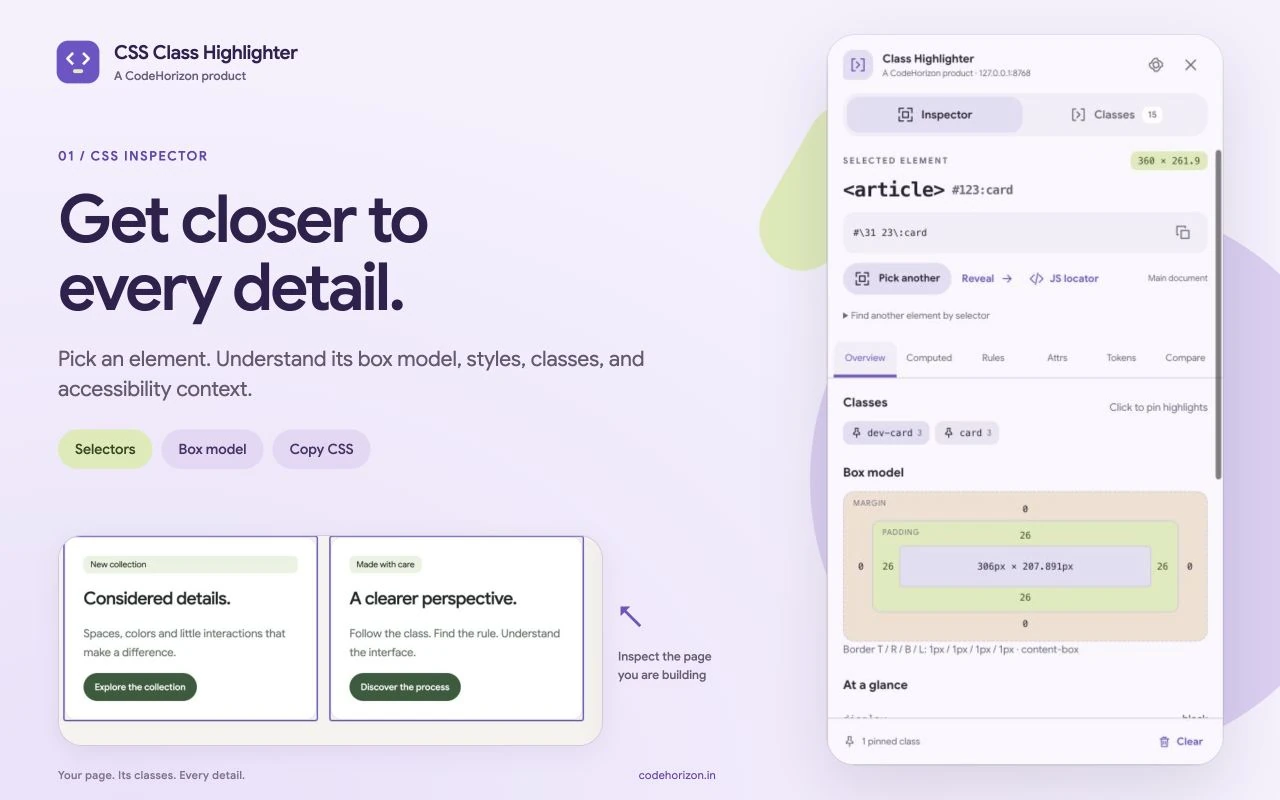
Version 4.1 rebuilds the extension as a developer workbench. Pick an element to read its box model, computed properties, readable matching rules, attributes and basic accessibility context, then copy an escaped selector, its HTML, a CSS snapshot, or a JavaScript locator that keeps frame and open shadow-root boundaries.
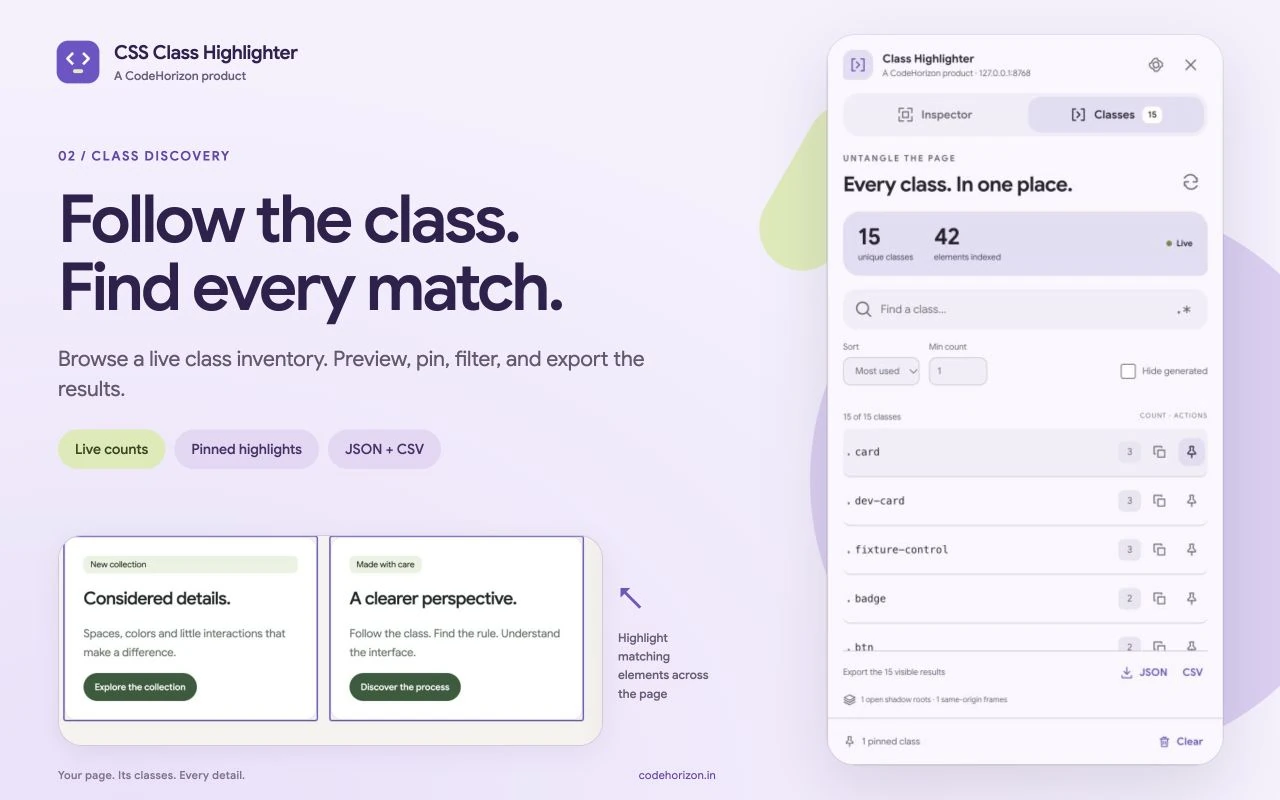
A live class inventory covers the document, open shadow roots and same-origin frames. Save a computed-CSS baseline and compare it with another element or a later state, or explore the resolved CSS variables behind a design. The popup, preferences and inspector share one Material Design 3 Expressive interface.
A small script on permitted pages
Only a lightweight loader runs on the pages you visit. The React workbench and its fonts load when you ask for them, or when auto-open is on for that site.
Lazy activation, serialised storage
It activates the workbench in a tab, handles keyboard commands and the context menu, and applies preference changes one at a time.
Traversal, a live class index, CSS inspection
It walks the document, open shadow roots and same-origin frames, keeps the class index current as the page changes, draws highlights and reads matching rules.
React, inside its own Shadow DOM
The inspector and a virtualised class browser render in a shadow root, so the page’s styles can’t restyle the controls.
Regex search accepts up to 200 characters with one repetition, the index stops at 100,000 elements, and rule inspection scans at most 6,000 rules for up to 200 matches, so a heavy page stays responsive.
Pinned highlights follow scrolling and layout changes, skip matches that are off screen, and respect a visible limit you set.
A site override stores only the fields you changed, so later global changes still apply. Writes are serialised and briefly batched to avoid conflicts and excess Chrome Sync calls.
Version 3 site settings migrate to the version 4 schema, and an old record is removed only after its replacement has been saved.
export function readableRules(element: Element) {
  const root = element.getRootNode() as Document | ShadowRoot;
  const sheets = new Set<CSSStyleSheet>([
    ...('styleSheets' in root ? Array.from(root.styleSheets) : []),
    ...Array.from(
      root.querySelectorAll<HTMLStyleElement | HTMLLinkElement>('style, link[rel="stylesheet"]'),
    ).flatMap((node) => (node.sheet ? [node.sheet] : [])),
    ...(root.adoptedStyleSheets ?? []),
  ]);
  const rules: MatchedRule[] = [];
  let unavailable = 0;
  let visited = 0;
  const walk = (list: CSSRuleList, source: string, condition = '') => {
    for (const rule of Array.from(list)) {
      if (++visited > 6000 || rules.length >= 200) return;
      if ('selectorText' in rule && 'style' in rule) {
        const styleRule = rule as CSSStyleRule;
        try {
          if (element.matches(styleRule.selectorText))
            rules.push({
              selector: styleRule.selectorText,
              css: styleRule.style.cssText,
              source,
              condition,
            });
        } catch {
          /* Pseudo-elements and nested selectors need DevTools cascade inspection. */
        }
// …@media and @supports only when they apply, and stops after 6,000 rules or 200 matches, so a heavy page never stalls.Decisions
Each decision lists the reason for it and what it gave up.
Why
A lightweight loader is all that runs on the pages you browse, so everyday browsing pays almost nothing for the extension.
Trade-off
The first open on a page waits a moment for the workbench to load.
Why
Whatever site it opens on, page styles can’t restyle its controls. Version 3 had tried a shadow root and dropped it; version 4 is built around one from the start.
Why
A huge page or a costly pattern should never freeze the page being inspected.
Trade-off
Matching rules are a source view. Chrome DevTools is still the place for full cascade order, pseudo-elements and complex nested selectors.
From version 3 · A bug worth telling
mousemove: a loop, sixty times a second.pointer-events: none on the whole panel. It only shows things, so the pointer passes through to the element underneath.What I tried first
What I learned
classList.Screens
Features
See the selected element, box model, computed styles, readable matching rules, attributes and basic accessibility details in one workbench.
Search and sort class names, filter generated names, set a minimum match count and jump from a class to an element.
Preview a class or pin several highlights. Customise their appearance globally or for individual sites.
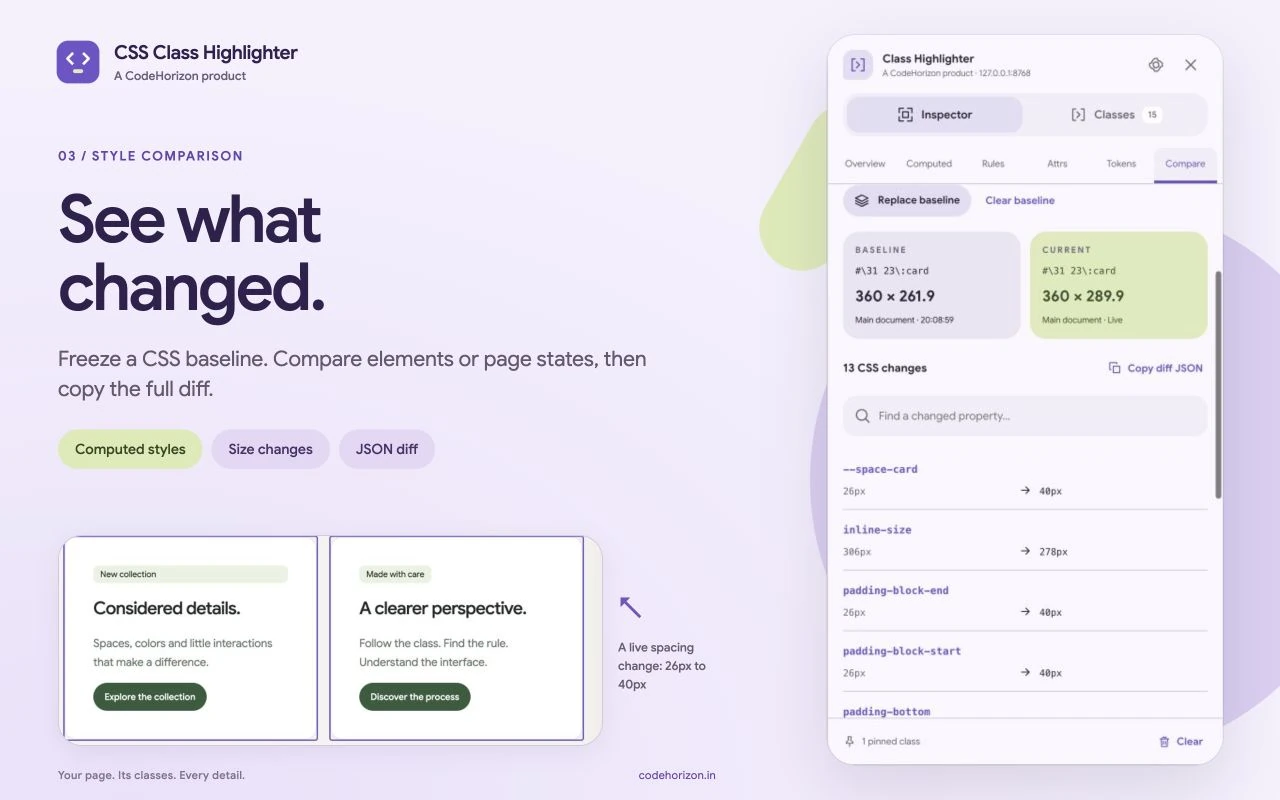
Save a computed CSS baseline and compare another element or a later state. Review dimensions, classes and styles, then copy the complete diff as JSON.
Explore resolved CSS custom properties, inherited values and colour previews. Search names or values, then copy declarations or token JSON.
Google Sans, Material Design 3 Expressive, light and dark themes, keyboard shortcuts, per-site settings and JSON or CSV class exports.
Your data
Page inspection runs in your browser. CSS results and comparison baselines are not sent to CodeHorizon. Preferences and the origins of sites you customise use Chrome Sync. Copies and file exports happen only when you request them. There are no accounts, ads, analytics or remote code.
Read the privacy policyVersion 4.1.0, published on 13 October 2026. It is the new workbench shown on this page, with CSS comparison, design tokens and class exports.
Open a regular webpage and choose Inspect page or Browse classes from the popup. The page context menu and Alt+Shift+C shortcut also open inspection. Chrome lets you reassign shortcuts when another extension uses them.
Chrome internal pages and the Chrome Web Store block extension inspection. Cross-origin frames, closed shadow roots and protected stylesheet rule text are unavailable. Local file inspection requires Chrome file URL access. Version 4.1.0 requires Chrome 127 or later.
It helps you inspect CSS, explore classes and compare visual states on the page. Chrome DevTools remains useful for editing code, full cascade ordering, pseudo-elements and browser debugging.
No. Inspection results stay in the browser, and comparison baselines stay in memory until the workbench closes. Global and per-site preferences, including customised site origins, use Chrome Sync and may follow your Google sign-in. CodeHorizon does not receive those preferences.
Yes. There is no account, subscription or paid feature.
Milestones
Inspect Mode, the class list, and copying a selector.
Settings for each site, with options to hide hashed class names.
A rebuilt developer workbench is submitted to the Chrome Web Store.
CSS comparison, design tokens, a live class inventory and exports, with Material Design 3 Expressive and Google Sans.
The new developer workbench is now available to everyone from the Chrome Web Store.
For businesses
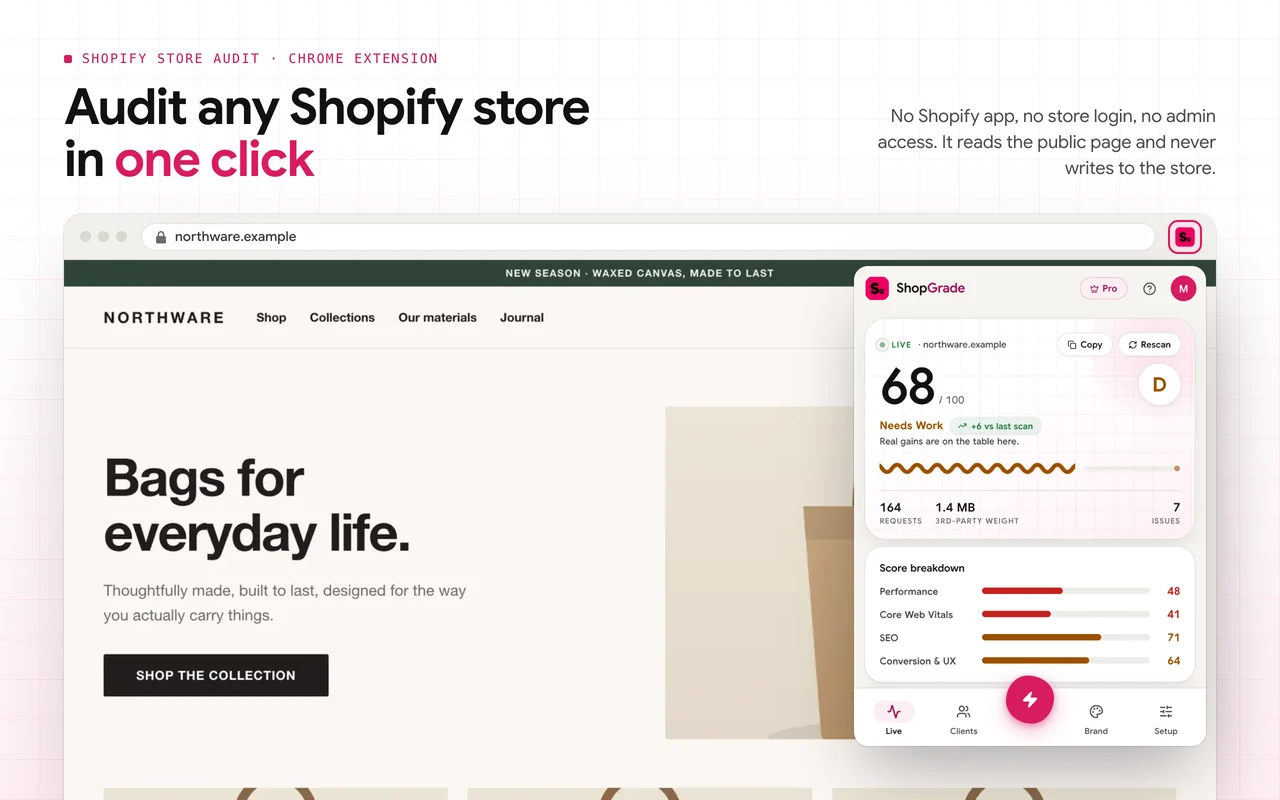
Websites, Shopify stores, Chrome extensions and Android apps, designed and engineered with the same care as my own products.
Booking new projects
I read every message myself and reply within a day or two with honest next steps.

Your message is on its way. I’ll reply to within a day or two.