It watches the field, not just the needle
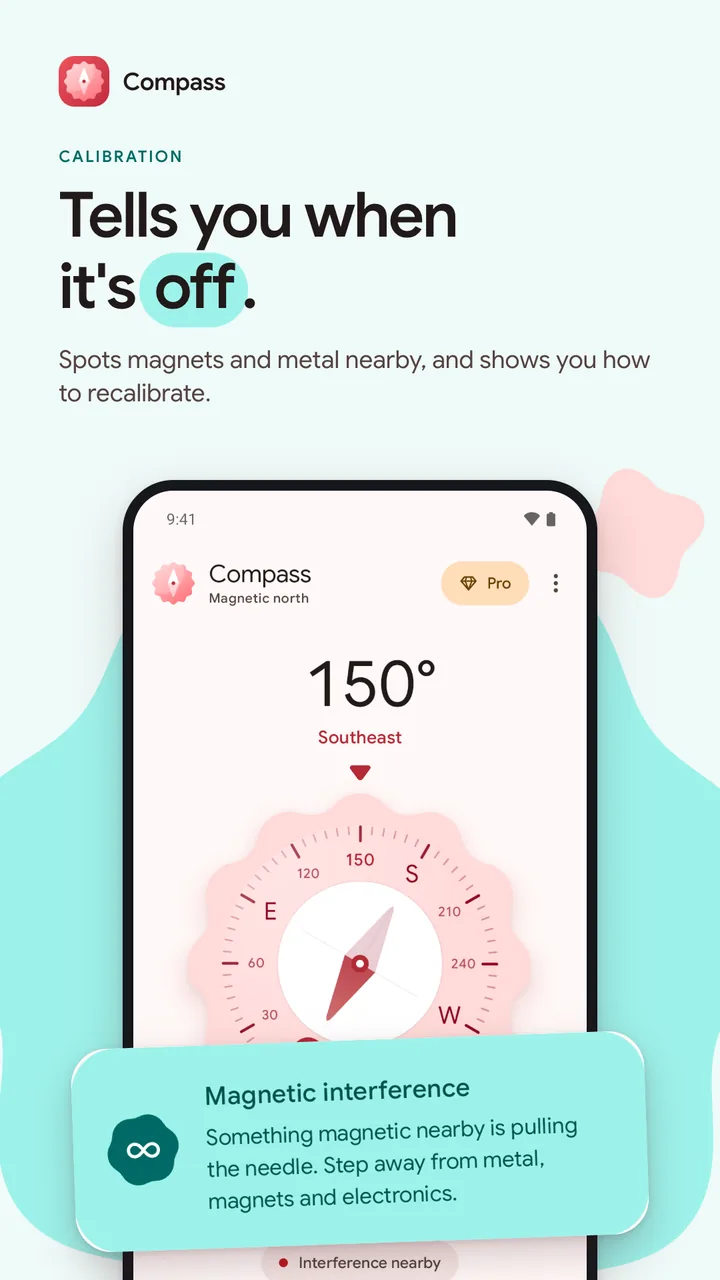
Earth’s magnetic field is roughly 25 to 65 microtesla. Far outside that, a magnet or metal is skewing the reading, so the app shows the calibration card even when the sensor still reports good accuracy.

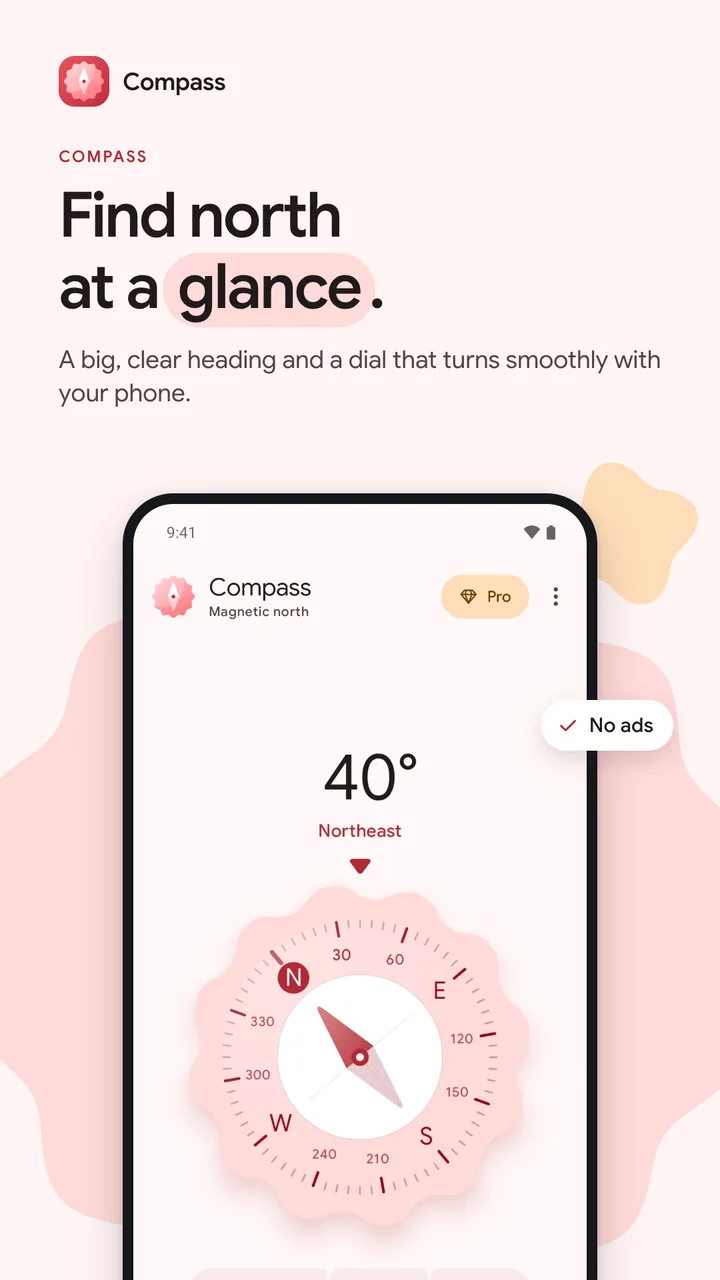
Find north at a glance, and know when to trust it.
Compass is a digital compass for Android with a big clear heading, true north for where you are, and a warning when metal or a magnet is pulling the needle. No ads and no account. It is in testing on Google Play.
The problem
Your phone's sensor finds magnetic north, but maps use true north, and the gap can be many degrees depending on where you are. Most of the time nothing tells you. Phone compasses also drift, and a metal case or a laptop nearby pulls the needle without any warning. Compass does the sum for you, and says when its reading is off.
Before
With Compass
A heading that stays right however you hold the phone: flat, upright, or tilted to one side.
How it works
From opening the app to the thing you came for.
Under the hood
A single-screen compass in Jetpack Compose. The heading comes from the phone’s fused rotation vector, or from the accelerometer and magnetometer on a phone without a gyroscope. The dial turns on an expressive spring, stepped per frame so it never stalls between sensor readings. True north is free and works out the local magnetic declination on the phone, and a one-time Compass Pro adds bearing lock and four dial styles.
Rotation vector and magnetometer
The fused rotation vector gives a smooth heading. The magnetometer is always read too, for its accuracy and the field strength.
One angle from a rotation matrix
The rotation matrix is remapped for the way the screen is turned, then reduced to one angle by a function small enough to unit test.
Declination, on the phone
Android’s GeomagneticField turns an approximate location into a correction. Only the angle is saved, so it keeps working offline.
A spring, a tick and a warning
The dial follows the heading on a spring, a light tick marks N, E, S and W, and a card appears when the reading can’t be trusted.
Earth’s magnetic field is roughly 25 to 65 microtesla. Far outside that, a magnet or metal is skewing the reading, so the app shows the calibration card even when the sensor still reports good accuracy.
A saved flag is only a head start, so Pro is there the moment the app opens. Every launch and resume checks with Google Play again, so a refund locks it again.
fun headingOf(r: FloatArray): Float {
    val degrees = Math.toDegrees(atan2(-r[3], r[0]).toDouble()).toFloat()
    return (degrees + 360f) % 360f
}Decisions
Each decision lists the reason for it and what it gave up.
Why
Declination changes by well under a degree across a city, so coarse location is plenty, and the compass itself never needs it.
Trade-off
On a phone with no location yet, True north has nothing to work from.
Why
Pro only adds bearing lock and dial styles, so the reading itself is never behind a payment.
Trade-off
The free app earns nothing, so it rests on people wanting what Pro adds.
A bug worth telling
Screens
Features
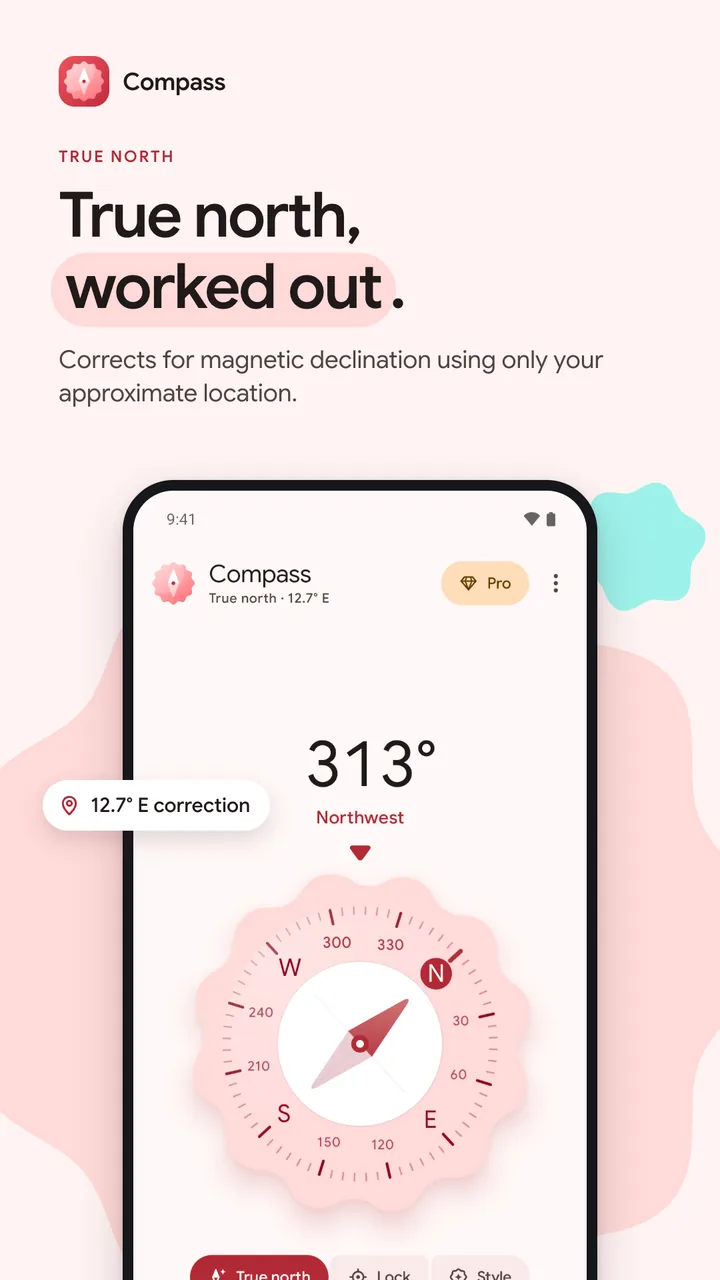
Switch between magnetic and true north. The correction, like 12.7° E, shows under the title and works offline.
Accurate held upright, flat or tilted, with unit tests across poses and bearings.
Watches the sensor's accuracy and the strength of the magnetic field, and warns you about interference.
A light vibration as you pass north, east, south and west.
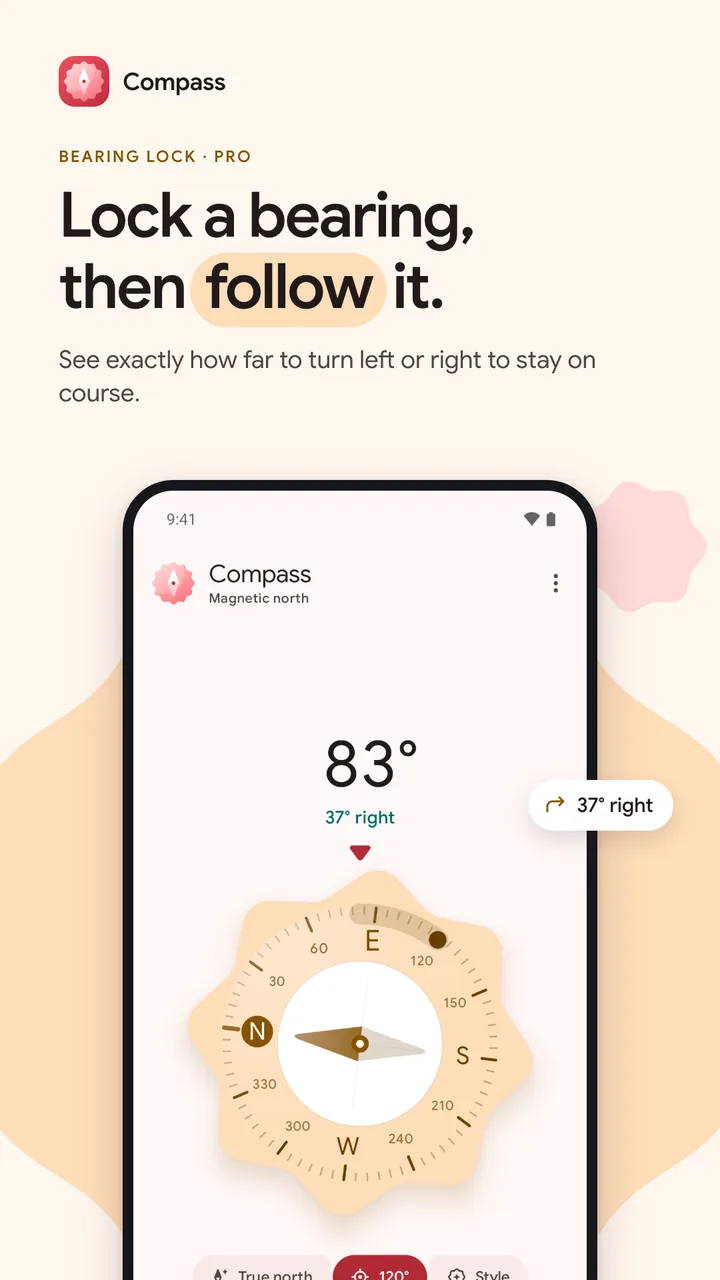
Lock a direction and follow the arc, with how far to turn in degrees.
Cookie, Sunny, Scallop and Midnight, in a light and dark theme that follows your phone.
Your data
No ads, no analytics and no account. Your location is optional, used only for True north, and never leaves your phone: only the correction angle is stored. Compass Pro is a one-time purchase handled by Google Play.
Compass is in testing on Google Play now and opens to everyone once testing ends. Its page here will link to Google Play when it does.
Your phone's sensor finds magnetic north. Maps use true north. The gap between them, the magnetic declination, depends on where you are. Switch on True north and Compass adds it for you.
Only for True north, and only if you switch it on. It uses your approximate location, on your phone, to work out the correction. Your location never leaves your device, and the compass itself works without it.
Yes. The compass needs no connection, and True north keeps using the last correction it worked out.
No. Compass has no ads, no analytics and no account. An optional one-time Compass Pro adds bearing lock and four dial styles. There is no subscription.
Metal, magnets, laptops and magnetic cases all pull the sensor. Compass warns you when the magnetic field looks wrong and shows you how to recalibrate with a quick figure 8.
Milestones
A compass with true north, calibration help, bearing lock and dial styles (Pro).
The privacy policy can be opened from inside the app.
A new compass app for Android: a big clear heading, true north for where you are, and a warning when something is pulling the needle.
For businesses
Websites, Shopify stores, Chrome extensions and Android apps, designed and engineered with the same care as my own products.
Booking new projects
I read every message myself and reply within a day or two with honest next steps.

Your message is on its way. I’ll reply to within a day or two.