A hidden tab keeps its frame rate
With the recorder tab really hidden, Chrome ran the page’s timer 4 times in 3 seconds instead of 60. The worker doesn’t slow down, so the video still came out at 30 frames a second.

Record it. Keep it.
Keeptake is a free screen recorder for Chrome. It records your screen, webcam and audio with no signup, watermark or time limit, and saves as you go, so a crash won't lose your video. It is coming to the Chrome Web Store.
The problem
You record ten minutes, Chrome crashes, and the video is gone. Or you finish a perfect take and find out afterwards that it has no sound. Many free recorders also ask you to sign up, stamp a watermark on your video or stop you at a time limit. I built Keeptake so recording is simple and the video is still there at the end.
Before
With Keeptake
Keeping a recording whole when the tab making it is hidden, closed or crashes.
How it works
From installing it to the result you are after.
Under the hood
A Manifest V3 extension with no remote code and no host permissions. Chrome only lets the page that opened the source picker use the capture, so recording happens in its own pinned tab. MediaRecorder hands over a piece every second, and each piece goes straight into IndexedDB. When you stop, Mediabunny turns the pieces into an MP4, copying the H.264 video rather than encoding it again. The camera is drawn over the screen in a worker, on an OffscreenCanvas.
A screen, window or tab
The picker is opened by a pinned tab, because only the page that opens it can use the capture.
Screen and camera, drawn together
A dedicated worker draws both at 30 frames a second, because a hidden tab’s timers slow to about one a second.
A piece every second
Each piece is saved to IndexedDB as it arrives, so a crash only costs the last moment.
Checked, then kept
The pieces become an MP4 on your computer, and are deleted only after the new file passes its check.
With the recorder tab really hidden, Chrome ran the page’s timer 4 times in 3 seconds instead of 60. The worker doesn’t slow down, so the video still came out at 30 frames a second.
207 end-to-end checks run in real Chrome and read the finished MP4 back with ffmpeg. They kill the browser mid-recording to prove recovery. They use Chrome’s simulated camera and mic, and a real camera and real sound were checked by hand on a Mac.
async function keepNewest(readable, keep) {
  const reader = readable.getReader();
  for (;;) {
    const { value, done } = await reader.read();
    if (done) return;
    keep(value);
  }
}Decisions
Each decision lists the reason for it and what it gave up.
Why
A bubble floating over other sites needs access to every one of them. Drawing it into the video needs none.
Trade-off
You see your camera in the recorder tab and the popup, not on the screen you’re recording.
Why
Making the MP4 stays quick and loses no quality, and cuts are made without encoding again too.
Trade-off
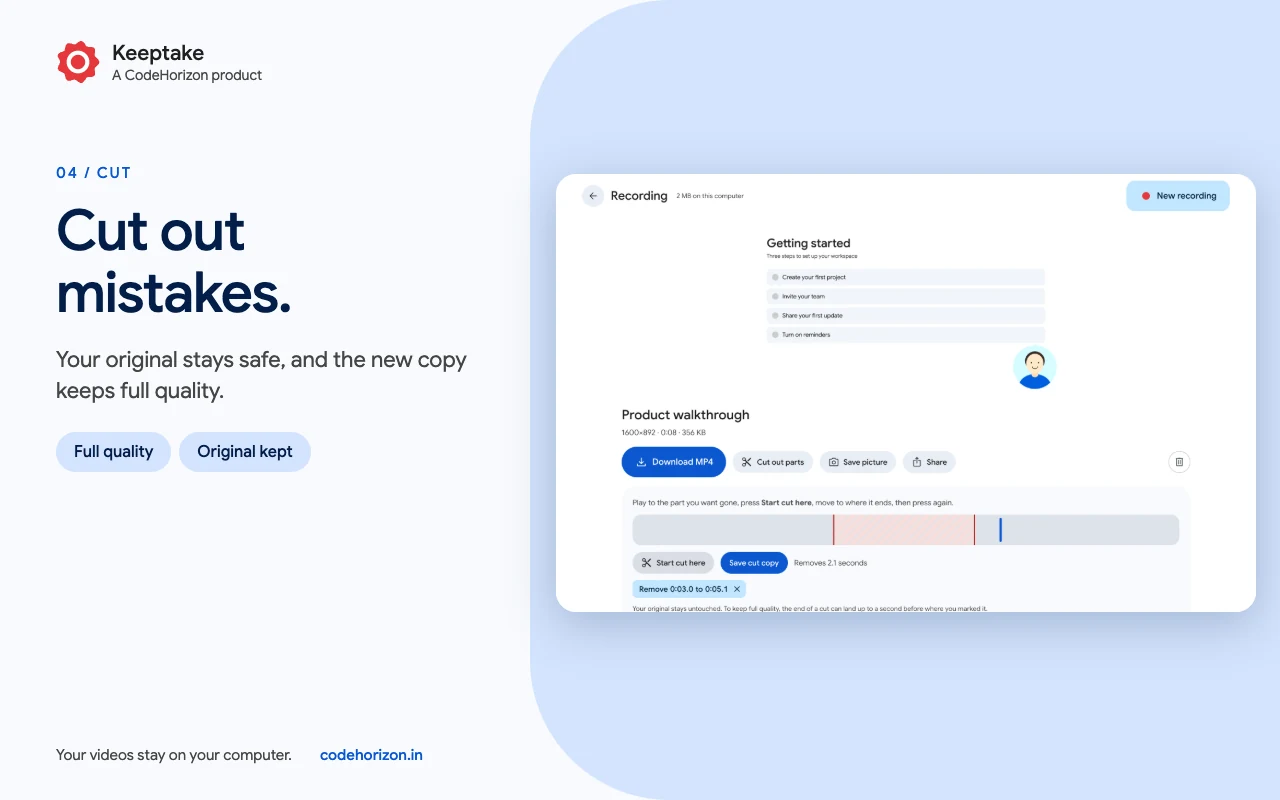
A cut can only start on a keyframe, so the page shows where each one will really land.
A bug worth telling
Screens
Features
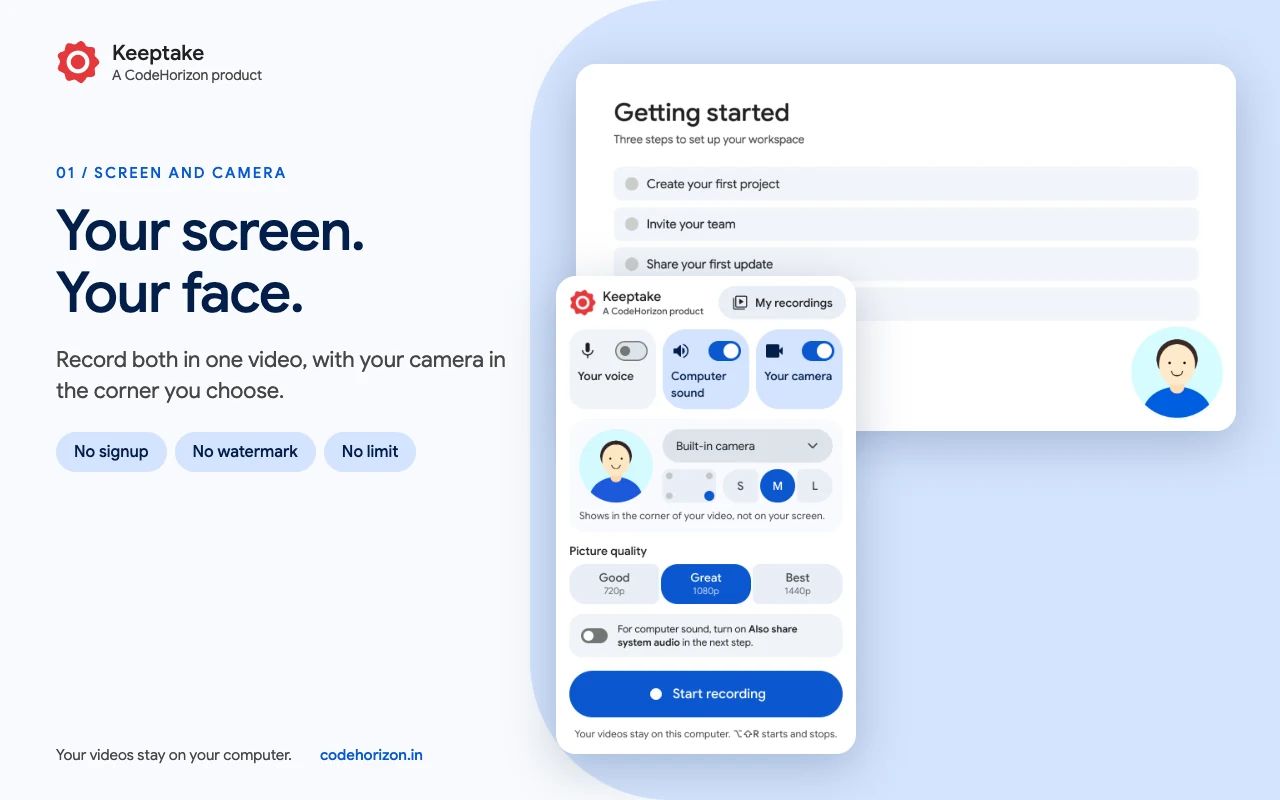
Your video is written to your computer every second. If Chrome crashes or you close the wrong tab, it is still there.
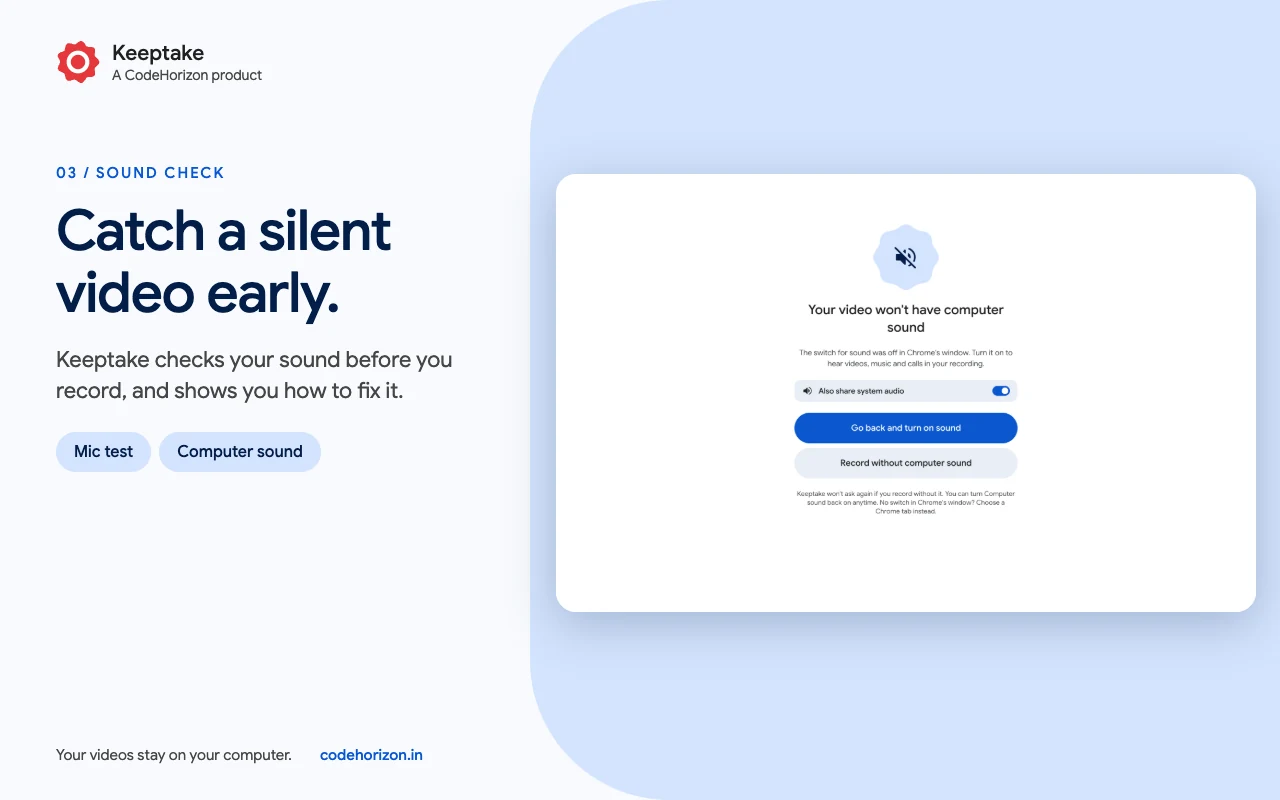
A microphone test, a check on Chrome's sound switch, and a warning if your mic goes quiet.
Pick the corner and the size. It works for a screen, a window or a tab, and needs no access to the sites you record.
Remove the parts you do not want. The new copy keeps full quality and your original stays untouched.
No limit on how many videos you make or how long they run. Your disk space is the only limit.
Search and sort them, select several, download them as one zip, or save any moment as a picture.
Your data
Free, with no account, ads, tracking or analytics. Your videos stay on your computer, and nothing is uploaded. Your microphone and camera are used only if you turn them on. Not affiliated with Google.
Keeptake is coming to the Chrome Web Store. Its page here will link to the listing once it is live.
No. There is no watermark and no limit on how many videos you make or how long they run. Your disk space is the only limit.
Keeptake saves to your computer every second. The next time you open Chrome, your video is in My recordings, labelled as recovered, with everything saved up to that moment.
For a whole screen, turn on "Also share system audio" in Chrome's window, and Keeptake reminds you to. A Chrome tab shares its sound already. A single window can't share sound.
Not during a recording. Your camera is added to the video itself, in the corner and size you choose before you start, so it does not float on your screen.
No. They stay in Chrome's private storage on your computer until you download or delete them. Uninstalling Keeptake removes them, so download anything you want to keep first.
Milestones
Screen, window or tab recording with mic, computer sound and camera, crash recovery, cuts and zip downloads.
A new screen recorder for Chrome that saves as you go, so a crash won't lose your video.
For businesses
Websites, Shopify stores, Chrome extensions and Android apps, designed and engineered with the same care as my own products.
Booking new projects
I read every message myself and reply within a day or two with honest next steps.

Your message is on its way. I’ll reply to within a day or two.